> ## Documentation Index
> Fetch the complete documentation index at: https://docs.pushbase.dev/llms.txt
> Use this file to discover all available pages before exploring further.
# Setup Pushbase SDK
> Get your project ready to receive notifications
**Prerequisite**: Expo`projectId` is required to attribute Expo push token to
the your project. It is set automatically when you create a development build.
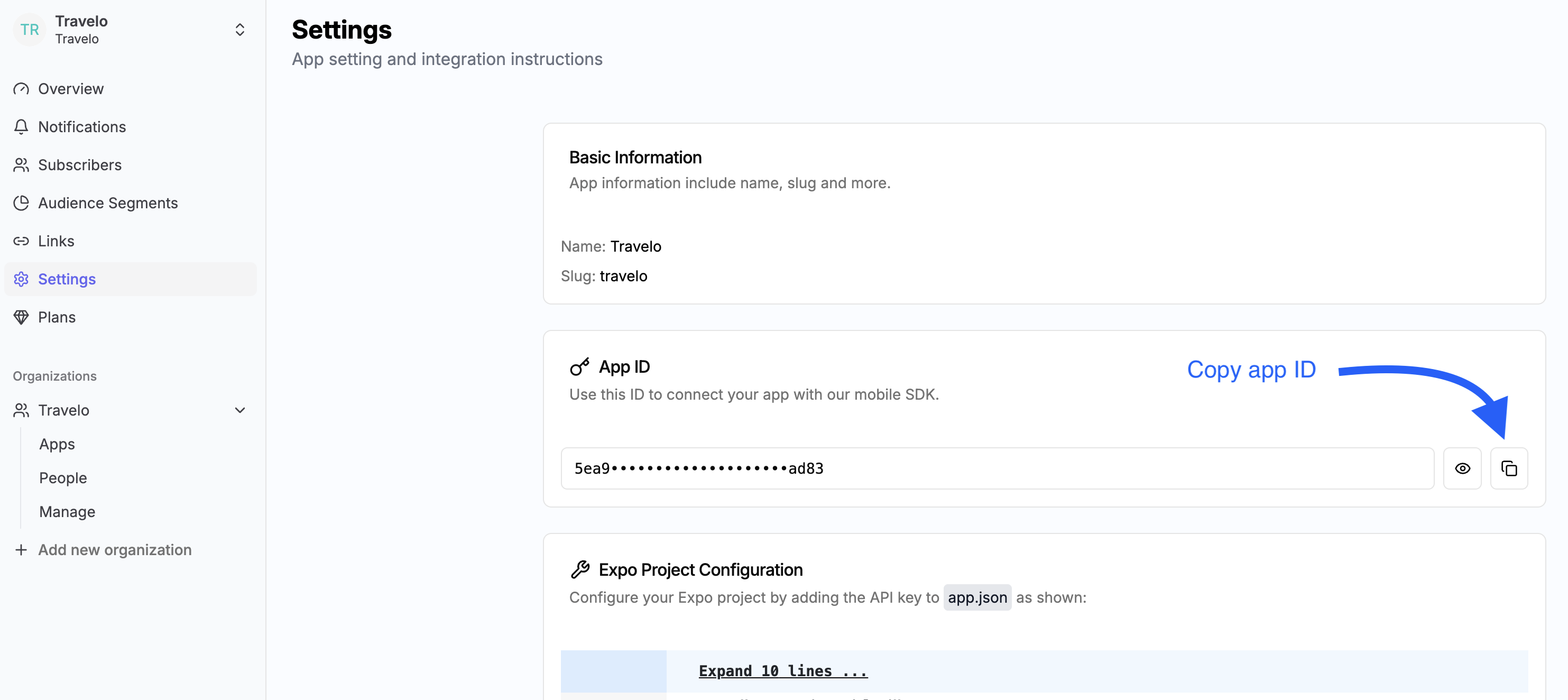
### Get Pushbase app ID
Inside the dashboard, create your first app if not exist. Navigate to **Settings** and copy app ID.
### Integrate Expo project with Pushbase SDK
To utilize Expo push notification service, you must [configure your app](https://docs.expo.dev/push-notifications/push-notifications-setup/) by installing a set of libraries, implement functions to handle notifications, and set up credentials for Android and iOS.
Complete the steps outlined in this guide or follow the more detailed video below. At the end, you'll be able to send a push notification and receive it on a device.
Paste app ID into `app.json > expo > extra > pushbaseAppId`.
```json app.json {13} theme={null}
{
"expo": {
"name": "pushbase",
"slug": "pushbase",
"version": "1.0.0",
"orientation": "portrait",
"icon": "./assets/images/icon.png",
"scheme": "pushbase",
"userInterfaceStyle": "automatic",
"newArchEnabled": true,
//...more lines here
"extra": {
"pushbaseAppId": "5ea9••••••••••••••••••••ad83",
"eas": {
"projectId": "f4479670-ddc4-4bf8-913c-1e0065721c4f"
}
}
}
}
```
Having trouble setting up or configuring the SDK? Our support team is here to
help — [feel free to reach
out](mailto:hello@pushbase.dev?subject=Pushbase%20Product%20Support)
 ### Integrate Expo project with Pushbase SDK